Marketing timeline template
Keep your marketing campaigns or projects on track. Use a marketing timeline template to organize tasks and headlines for your next campaign.
BEST FOR
Marketing
Project management
KEY FEATURES
Task planning
Prioritization
Pipeline management
What is a marketing timeline template?
A marketing timeline template is a tool for tracking marketing campaigns or projects, ultimately improving project management. Visually laying out tasks and deadlines ensures your team stays aligned and meets objectives so that you can focus on project execution. The template is your roadmap for all the components of your campaign, so no detail is overlooked. Set deadlines, monitor progress, and make necessary adjustments along the way.Â
Scheduling tool
The marketing campaign timeline template is a scheduling tool that improves time management by mapping out when each marketing task or campaign should start and finish. This ensures alignment with your overall goals and helps prioritize efforts.Â
Progress tracker
The template allows you to monitor each task or milestone in your marketing action plan, making it easy to see where things stand at any given moment. With real-time updates, you can identify potential bottlenecks or delays early, making it easier to adjust timelines or resources.
What does the marketing timeline template include?

Timeline
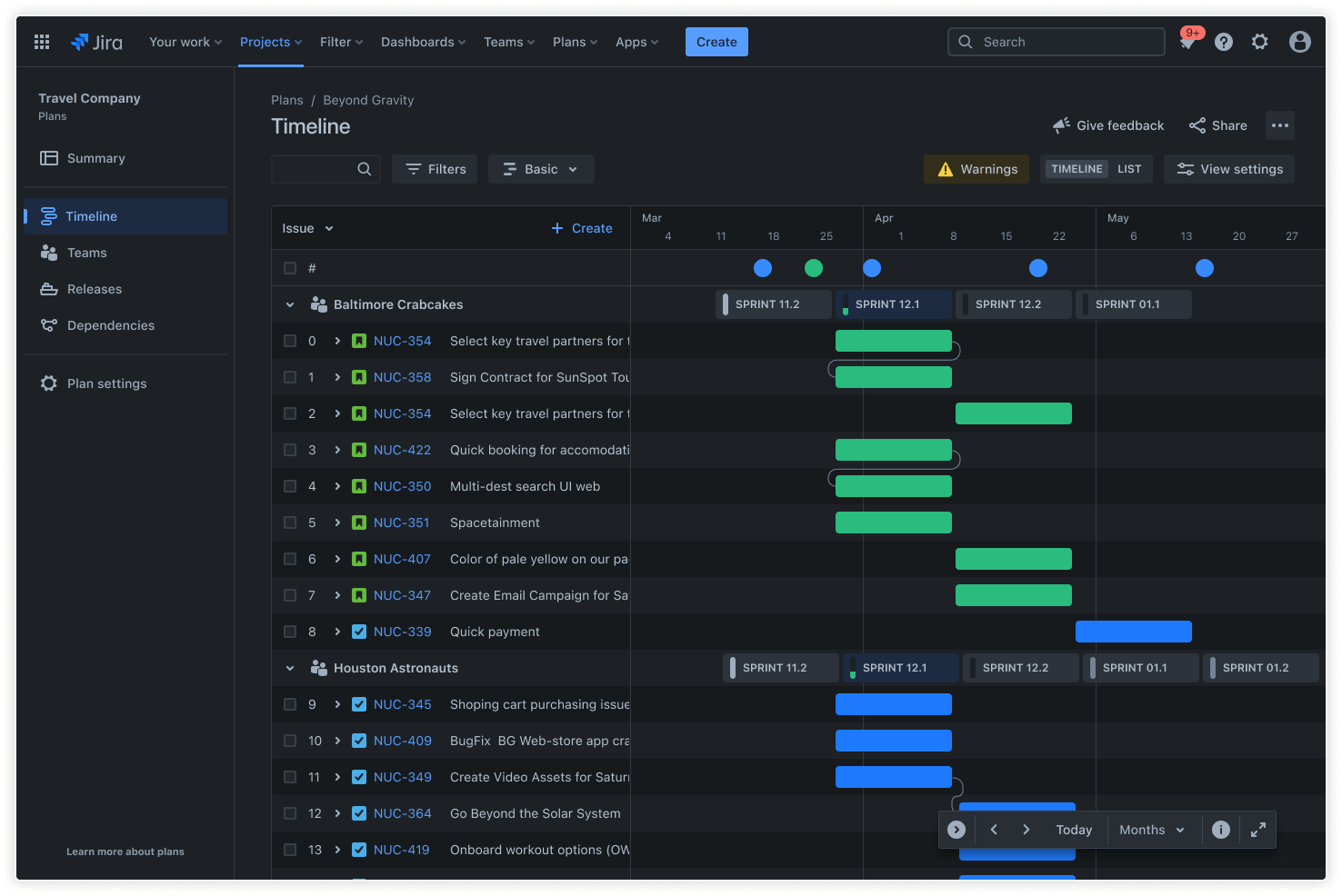
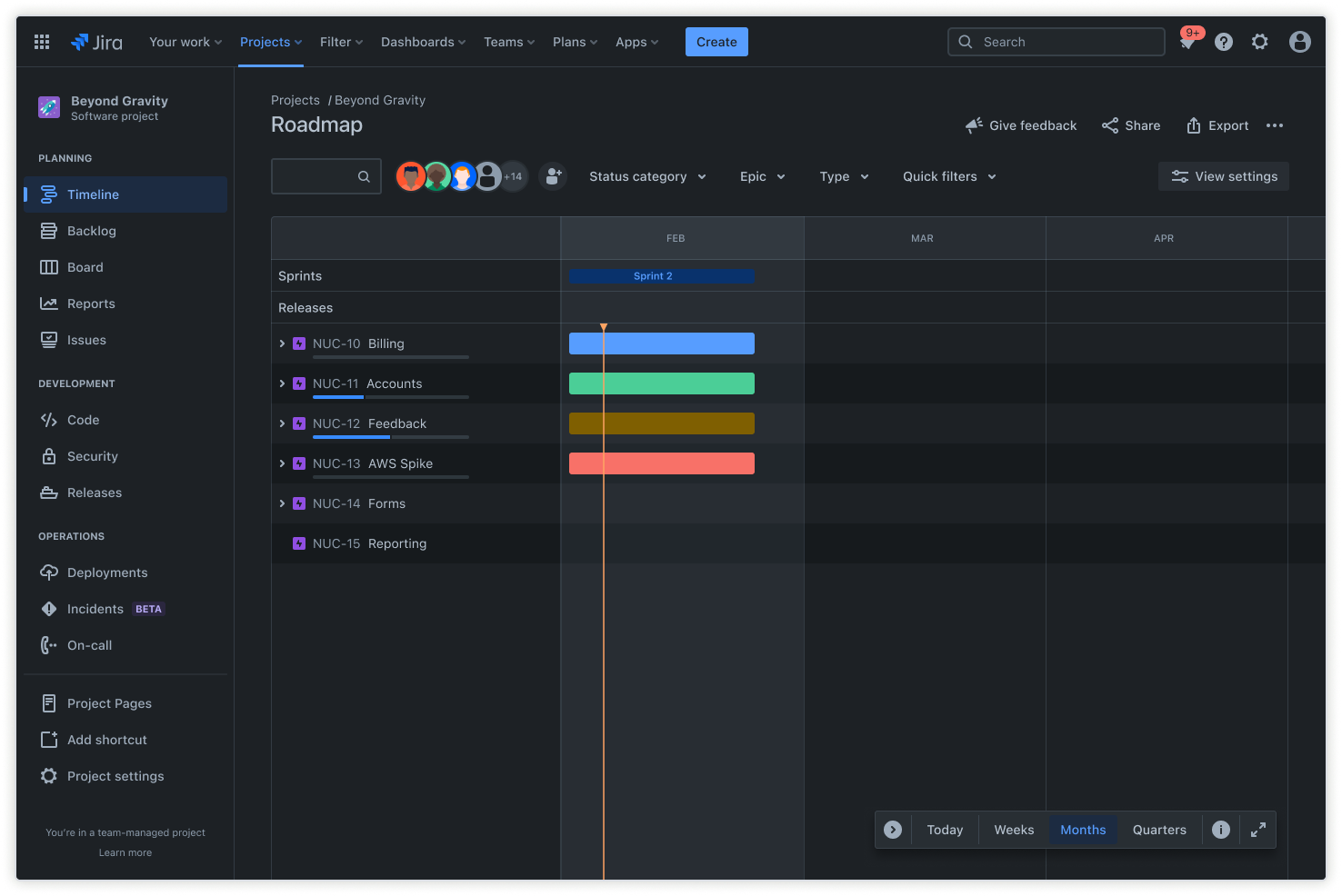
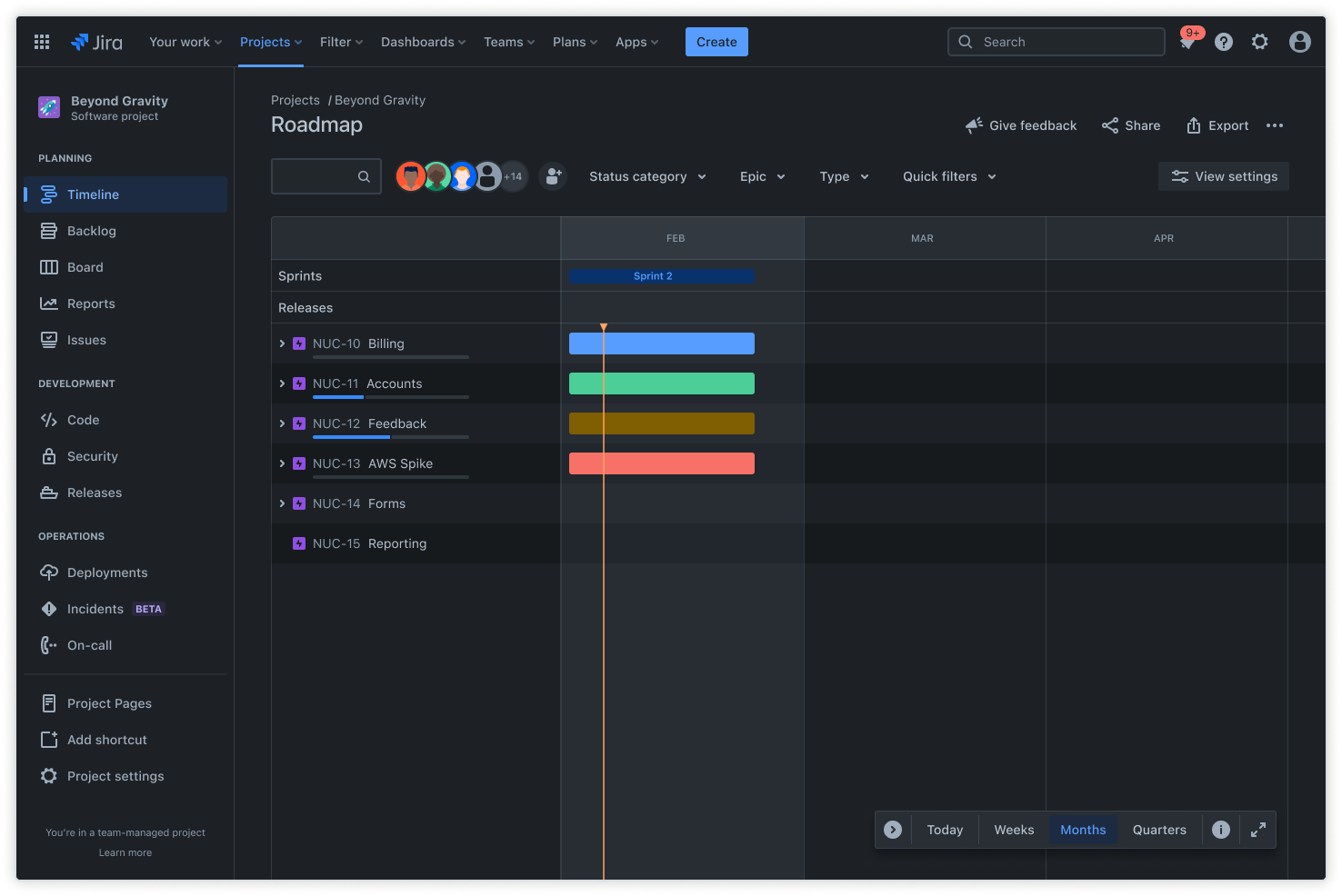
The timeline section organizes all tasks and deadlines linearly, offering a visual overview of the entire project. It clearly shows when tasks must be completed, helping teams stay on target and avoid last-minute rushes. By breaking down the overall marketing plan into a timeline, you ensure all project parts are completed in the right order.Â

Calendar
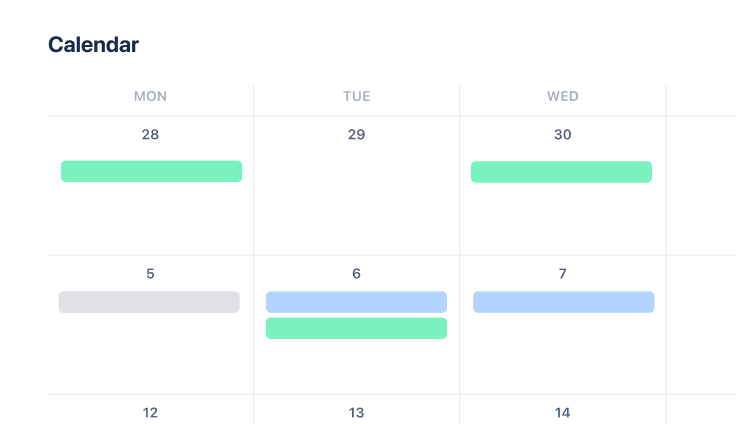
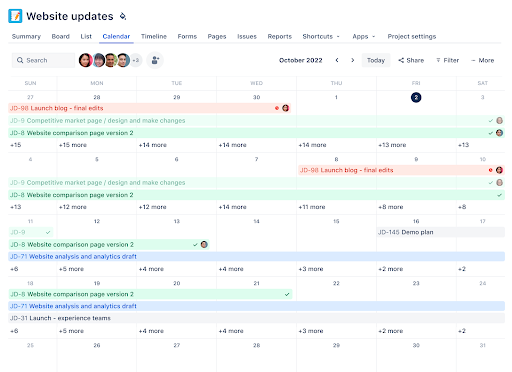
The calendar view offers a more detailed layout for tasks and deadlines, organized by week or month. Marketing project management software provides a snapshot of upcoming deadlines and key dates, making it easier for teams to plan their work and stay on top of upcoming responsibilities. Whether managing social media posts, content deadlines, or promotional launches, the calendar helps ensure that all deadlines are visible at a glance.Â

Dependency mapping
The advanced roadmap feature in the marketing timeline template lets you visualize long-term goals, track dependencies, and manage resources. Mapping dependencies can help you quickly see how tasks are linked so your team can pivot when plans change.Â
Jira Plans provide a clear critical path, making it easy to adjust shifting dates. This feature ensures that changes in one task don't disrupt the overall project. You can also integrate Confluence to store campaign documentation and Loom to share visual updates, making communication seamless.Â

Workflows
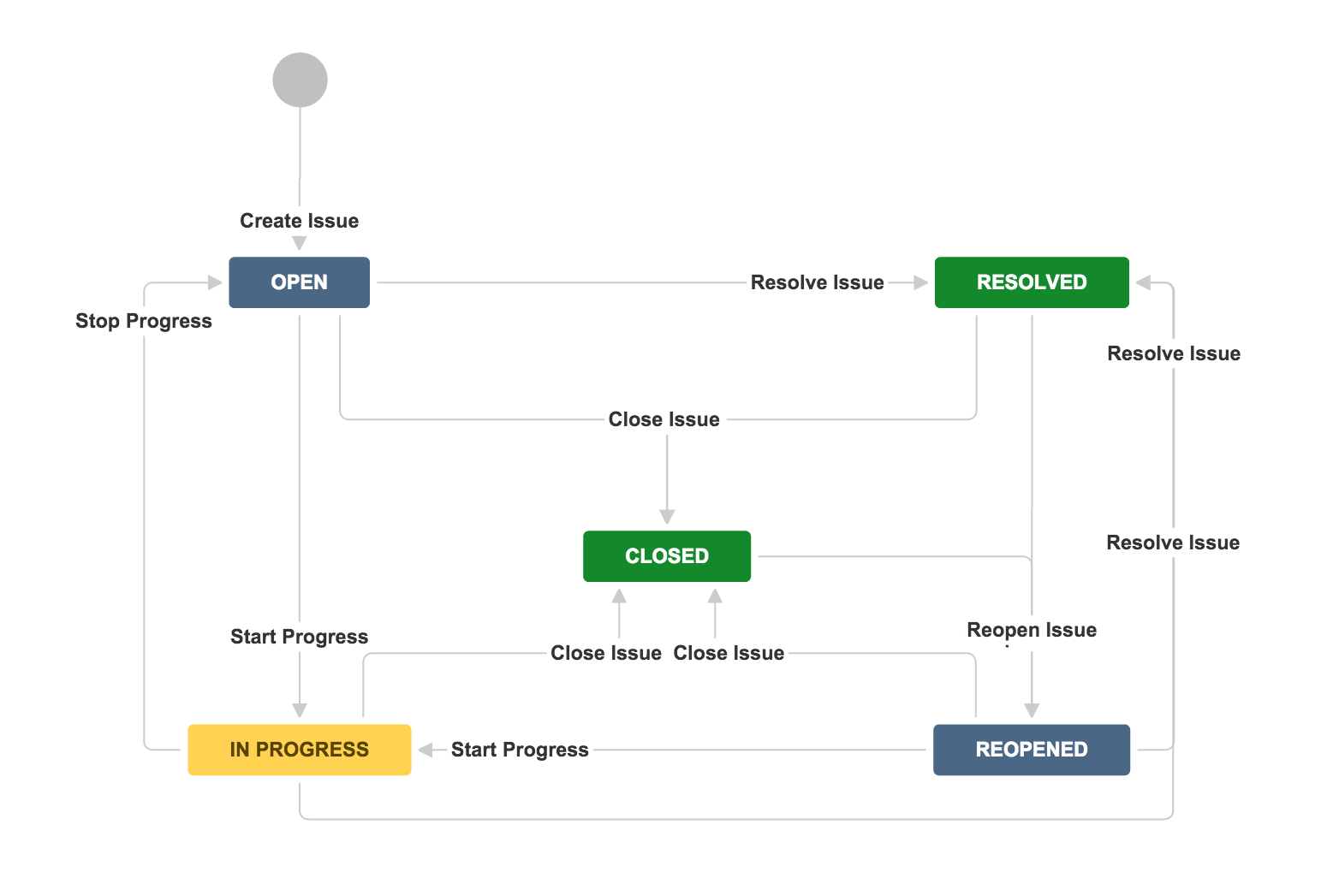
Creating custom workflows for each task in your marketing campaign can streamline the process. For instance, you can define stages for tasks such as "Planning," "In Progress," and "Completed." Workflows ensure that everyone involved knows exactly where the task stands and what needs to happen next.Â
Custom workflows allow team members to stay aligned, ensuring no task moves forward without completing the previous steps. You can also automate some parts of the workflow so tasks move from one stage to the next without manual intervention.
How to get started with the marketing timeline template
- 1
Define marketing goals
Whether you want to increase sales, build brand awareness, or launch a new product, clearly identify your goals. Setting goals helps you understand the campaign's overall goals, which ensures that each task within the timeline serves a specific purpose toward achieving those outcomes.
- 2
List all key marketing activities
Once your goals are defined, break down your campaign into smaller, manageable tasks. These tasks could include content creation, social media marketing, email campaigns, or event promotions. Listing these activities helps you see the full scope of the project and organize tasks effectively.
- 3
Set deadlines and milestones
Next, set deadlines for each task and important milestones. This could include the date you plan to launch the campaign, the date your content should be ready for review, or the target completion date for each activity. With capacity planning, you can ensure your team has the resources and time needed to meet these deadlines, keeping the campaign on track and ensuring tasks are completed in the right order.
- 4
Assign tasks and responsibilities
Assign tasks to team members to prevent confusion and improve resource management. Clearly outline their responsibilities and set expectations for what should be delivered and when. This step ensures accountability and helps your team stay focused on their individual contributions to the overall campaign.
- 5
Add tasks to the timeline
Once all tasks are defined and assigned, add them to the marketing campaign timeline template. Assign deadlines to each task and ensure each responsible individual understands their role. The visual representation of the timeline will help everyone involved stay on top of their duties.
- 6
Monitor and adjust
Make sure that deadlines are met, and if anything changes, adjust the timeline as necessary. Sometimes, external factors, like delays from a vendor or a change in the marketing strategy, can impact the timeline. Continuously reviewing and adjusting ensures your campaign stays on track despite any changes.
Related templates

Marketing
Content management template
Manage the content lifecycle from prioritization to delivery.
Marketing
Campaign management template
Drive a marketing campaign from idea to execution.